Choosing a Laser Machine: Matching Power and Head Size to Your Job
Match laser power to material thickness and speed, then select the head size for the right focal distance and kerf. Align both specifications with your production line to avoid rework and ensure long-term machine performance.
- Match laser wattage to the thickness of the material you cut regularly.
- Choose the head size based on focal distance and the diameter of the cut.
- Verify the laser controller, head, and beam path are rated for the same power.
- Use the machine specification sheet to confirm the power range, not just the peak output.
- Plan the head size for the widest cut you must handle, not just the thinnest part.
Start With Your Material Stack
The first decision in any laser machine selection process is not the brand or the enclosure. It is the material. Identify the three to five material types that will make up your daily workload. A shop cutting 2 mm carbon steel is not the same as a shop cutting 6 mm aluminum or 10 mm stainless steel. Each material absorbs heat differently and changes how the beam behaves inside the kerf.
Carbon steel is the most forgiving material. It takes a steady beam and cuts cleanly with less operator adjustment. Aluminum and stainless steel are more demanding. Aluminum reflects heat and can cause the beam to drift. Stainless steel is more resistant to the beam and often needs a higher power setting to maintain a clean edge.
Write down the thickness range you must handle every week. A machine rated for 2 mm steel is not the same as one rated for 20 mm steel. The controller, the head, and the beam delivery path all have limits. If your production line requires a thin sheet and a thick plate, the machine must be sized for the thickest material first.
Match Power to Thickness and Speed
Laser power determines how deep the beam penetrates and how fast the machine can travel. Higher power allows for a faster travel speed without burning the edges or leaving a dross layer. It also allows the machine to cut thicker material with a cleaner top edge.
Do not buy a machine just because the wattage is high. A 10 kW machine is not automatically better than a 6 kW machine if your parts are all 3 mm thick. The 10 kW machine will cost more to buy and to run. It will also require a larger head and a stronger cooling system.
Check the power range of the machine. Some systems can drop the power to a low percentage for thin sheet work. This range is often more useful than the maximum power. A system that can run at 20% power for 1 mm sheet work is more flexible than one that only runs well at 100% power.
When you look at the machine specification, note the power type. Fiber lasers deliver a narrow beam and a stable output. Diode lasers often offer a wider power range and are common in mid-power systems. The choice between them depends on your material mix. If you cut thin sheet and thick plate, a fiber system with a wide power range is usually the better fit.
Select the Head Size for Your Focal Distance
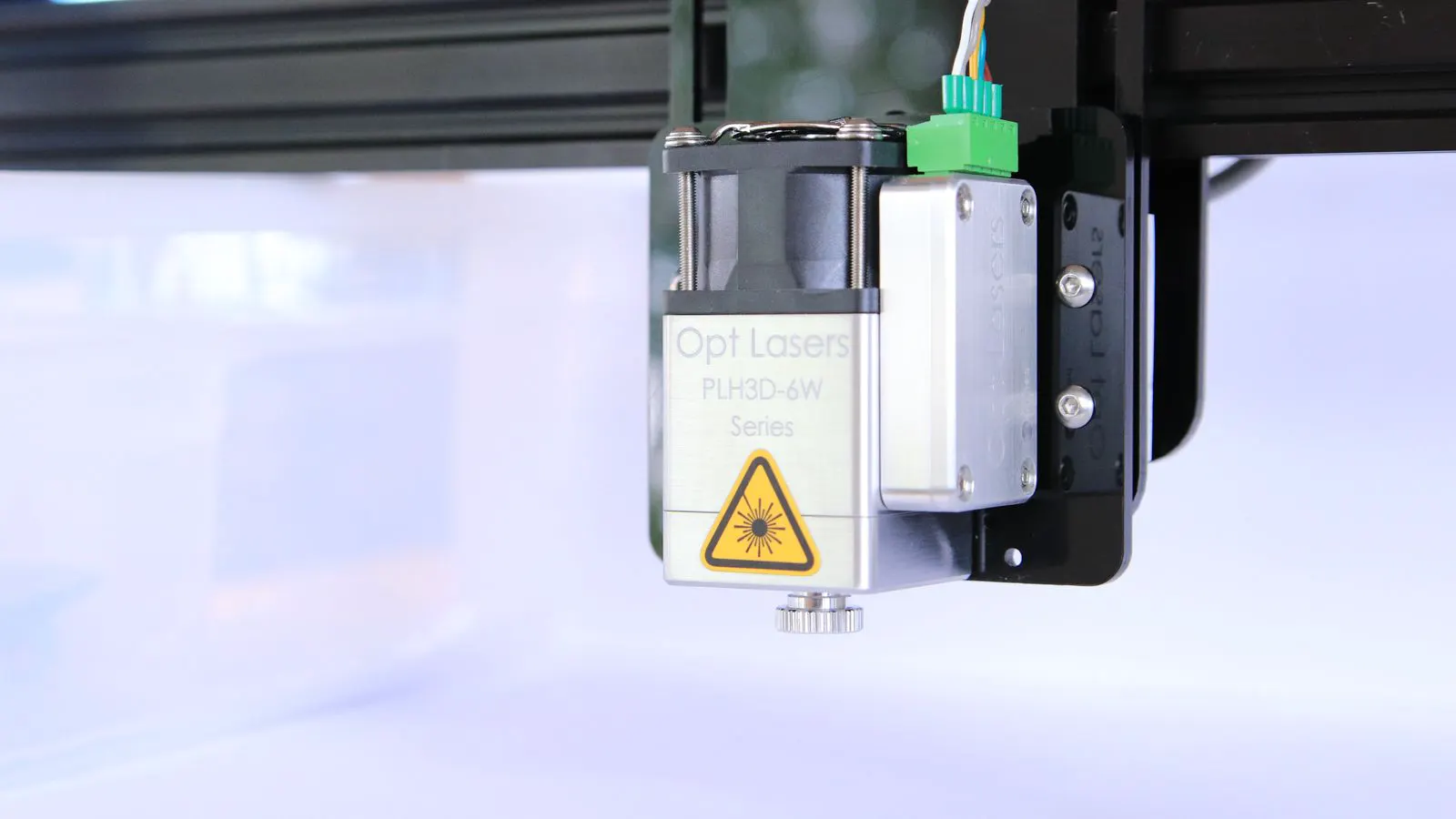
The head size determines the focal distance and the depth of the cut. A smaller head has a shorter focal distance. This is better for thin sheet work because the beam is focused closer to the material. A larger head has a longer focal distance. This is better for thick material because the beam can penetrate deeper before it starts to diverge.
The head size also affects the diameter of the cut. A larger head can handle a larger nozzle and a wider beam. This is necessary for thick material where the beam spreads out. A small head cannot handle the beam spread of a thick cut. The edge will become rough and the kerf will be wider than necessary.
Measure the maximum thickness of the material you will cut. Use that number to select the head size. A 3 mm steel plate and a 15 mm steel plate require different heads. The head for the 15 mm plate will have a longer focal length and a larger nozzle. The head for the 3 mm plate will be smaller and shorter.
Many machines use interchangeable heads. This is a good thing. It allows you to swap the head when you change materials. However, the machine must be able to handle the largest head you will use. The beam path, the cooling, and the controller must all be rated for that size.
Check the Beam Path and Cooling
The beam path is the route the beam takes from the laser source to the head. It includes the fiber, the collimator, the optics, and the delivery head. If the beam path is not rated for the power you are using, the optics will heat up. The output will drop and the cut quality will suffer.
Look at the beam path specifications. The fiber diameter, the optics coating, and the cooling system must all be matched to the power. A 12 kW system needs a different beam path than a 4 kW system. The cooling system must be able to handle the heat generated by the laser and the optics.
The cooling system is often overlooked in the buying process. It is a major part of the machine specification. A poorly sized cooling system will run hot. The laser output will drop to protect the source. The machine will run slower and the cuts will be less consistent.
Check the cooling system rating. It should be sized for the maximum power of the laser and the maximum power of the head. If the machine is rated for 12 kW, the cooling system should be rated for at least 12 kW. A cooling system rated for 8 kW will not hold the output steady at 12 kW.
Review the Machine Specification Sheet
The machine specification sheet is the most important document in the buying process. It lists the power range, the head size, the beam path, the controller, and the cooling system. Do not rely on the marketing brochure. The brochure will show the maximum power and the fastest speed. The specification sheet will show the real limits.
Read the power range carefully. It should show the minimum and maximum power. It should show the power stability. It should show the power type, such as fiber or diode. The power range is more useful than the peak power. A machine that can run from 1 kW to 12 kW is more flexible than one that only runs from 8 kW to 12 kW.
Check the head size list. It should show the focal distances and the nozzle sizes. It should show the maximum material thickness for each head. It should show the cut speed for each material and thickness. If the specification sheet does not list these details, ask for them in writing.
The machine specification sheet is your contract. It defines what the machine can do. If the sheet does not list the power range for the thickest material you need, the machine is not ready for your production line.
Build a Decision Checklist
Use the following checklist to evaluate each machine you consider. It forces you to compare the options based on the real limits of the machine, not the marketing claims.
- Does the power range cover the thickest material you cut every week?
- Does the power range allow a low power setting for the thinnest sheet work?
- Is the head size list sufficient for your material thickness range?
- Are the beam path and cooling system rated for the maximum power?
- Does the machine specification sheet list the cut speed for each material and thickness?
- Are the heads interchangeable and included in the base configuration?
- Does the controller support the power range and the head sizes?
- Is the cooling system capacity stated in the specification sheet?
If any of these answers is no, the machine will not meet your production needs. You will end up with a machine that runs slow, cuts poorly, or requires constant adjustment. The best machine is the one that matches your material stack, your thickness range, and your speed requirements.
Final Thought
A laser machine is a tool. It is not a status symbol. The power and head size must be matched to the job. If you buy a machine that is too small, the cuts will be slow and the edges will be rough. If you buy a machine that is too large, you will pay for power you do not use and a head that is too big for your thin sheet work.
The specification sheet is your guide. Read it carefully. Check the power range, the head size, the beam path, and the cooling system. Match these numbers to your material stack and your production line. The machine that fits your job will run longer, cut cleaner, and cost less to maintain.
Frequently asked questions
How do I know if a laser is powerful enough for my material?
Check the power range against the thickness of your material. The machine must be able to cut the thickest material in your workload at the speed you require. A low power setting is also needed for thin sheet work.
Can I use one head for all my materials?
No. A head is sized for a specific focal distance and a specific material thickness. A head for thin sheet will not cut thick plate cleanly. A head for thick plate will not give a clean edge on thin sheet. Use interchangeable heads for different materials.
What is the difference between peak power and power range?
Peak power is the maximum output the laser can produce. Power range is the span of output the laser can control, from its minimum to its maximum. A wide power range is more useful for a shop that cuts both thin sheet and thick plate.
Do I need a larger cooling system for a larger laser?
Yes. The cooling system must be rated for the maximum power of the laser and the head. A cooling system that is too small will run hot and the laser output will drop. Check the cooling capacity in the specification sheet.
What is the most common mistake in laser machine selection?
Buying a machine based on the maximum power number. Many shops buy a high wattage machine for thin sheet work. This wastes money and requires a larger head and a stronger cooling system. Match the power and head size to your actual material stack.