Fiber Laser Cutter Specs Checklist: Pre-Purchase Checklist
Verify power, beam quality, table size, and control software before buying a fiber laser machine. This checklist highlights critical specs and red flags that affect cut quality, speed, and long-term maintenance costs for your production line.
- Match laser power to the thickest material you plan to cut regularly.
- Inspect the optical path and check for beam quality specifications.
- Confirm the controller software supports your production workflow.
- Verify warranty terms and maintenance requirements before signing.
Why the spec sheet matters more than the brochure
A spec sheet lists numbers. A purchase decision depends on whether those numbers solve your production problem. Two machines can look identical in the showroom. One may handle your daily workload for years. The other may require constant intervention. The difference usually lives in the detailed specifications.
Brochures highlight capability in broad terms. They show a finished cut on a glossy background. They rarely explain how long that cut took, what gas pressure was used, or what the edge quality looks like under magnification. The spec sheet provides the raw data. It lists the actual output of the machine under defined conditions. When you compare two vendors, the brochure is a marketing tool. The spec sheet is a technical document.
This checklist covers the areas that determine cut quality, cycle time, and maintenance. Use it to audit any fiber laser machine before you commit to a purchase. Do not rely on verbal assurances from sales representatives. Request the technical data sheets in PDF format. Verify the document version against the specific serial number of the unit you are inspecting.
Optical system and beam quality
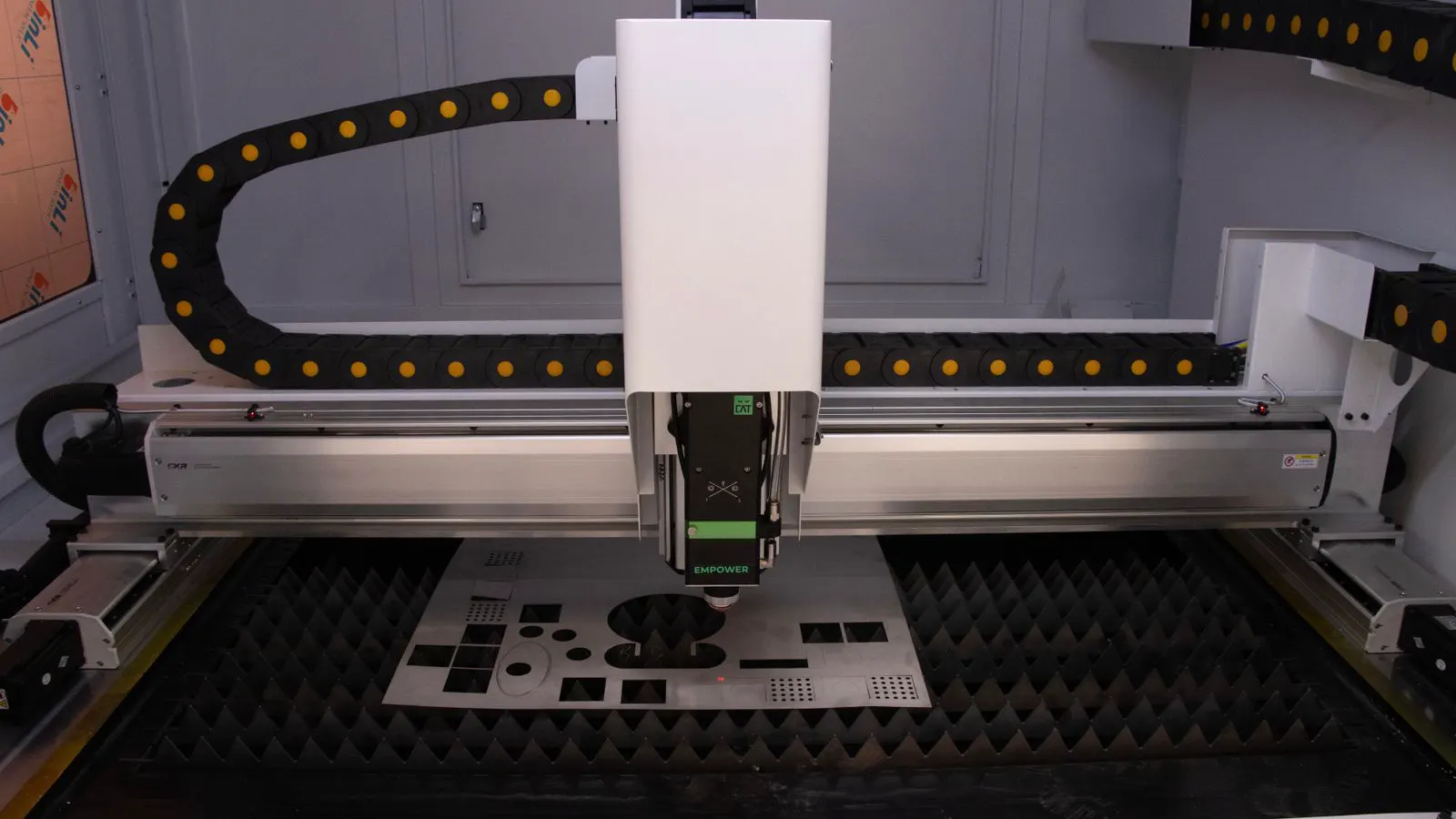
Start with the laser source. Fiber lasers use a fiber optic core to deliver the beam. The power rating defines maximum energy output. Typical industrial fiber laser cutters range from low single digit kilowatts to high single digit kilowatts. Match this to your material thickness. A 1 kilowatt source handles thin sheet metal efficiently. A 10 kilowatt source is built for plate stock.
Check the beam quality parameter. This describes how tight and focused the beam is. A tighter beam produces cleaner cuts with less heat affected zone. Ask for the specific parameter value, not just a grade. Lower numbers indicate better quality. Common parameters include the product of the beam radius at the waist and the divergence angle. A machine with a lower M-squared value focuses the energy into a smaller area. This allows for faster cutting speeds without melting the material.
Also verify the laser source type. Single mode and multi mode sources behave differently. Single mode is tighter but often more expensive. Multi mode handles thicker materials but produces a wider kerf. Know which fits your parts. If you cut thin sheet for electronics or automotive brackets, a single mode or specific multi mode configuration may be required for tight tolerances. If you cut structural steel, a standard multi mode source is usually sufficient.
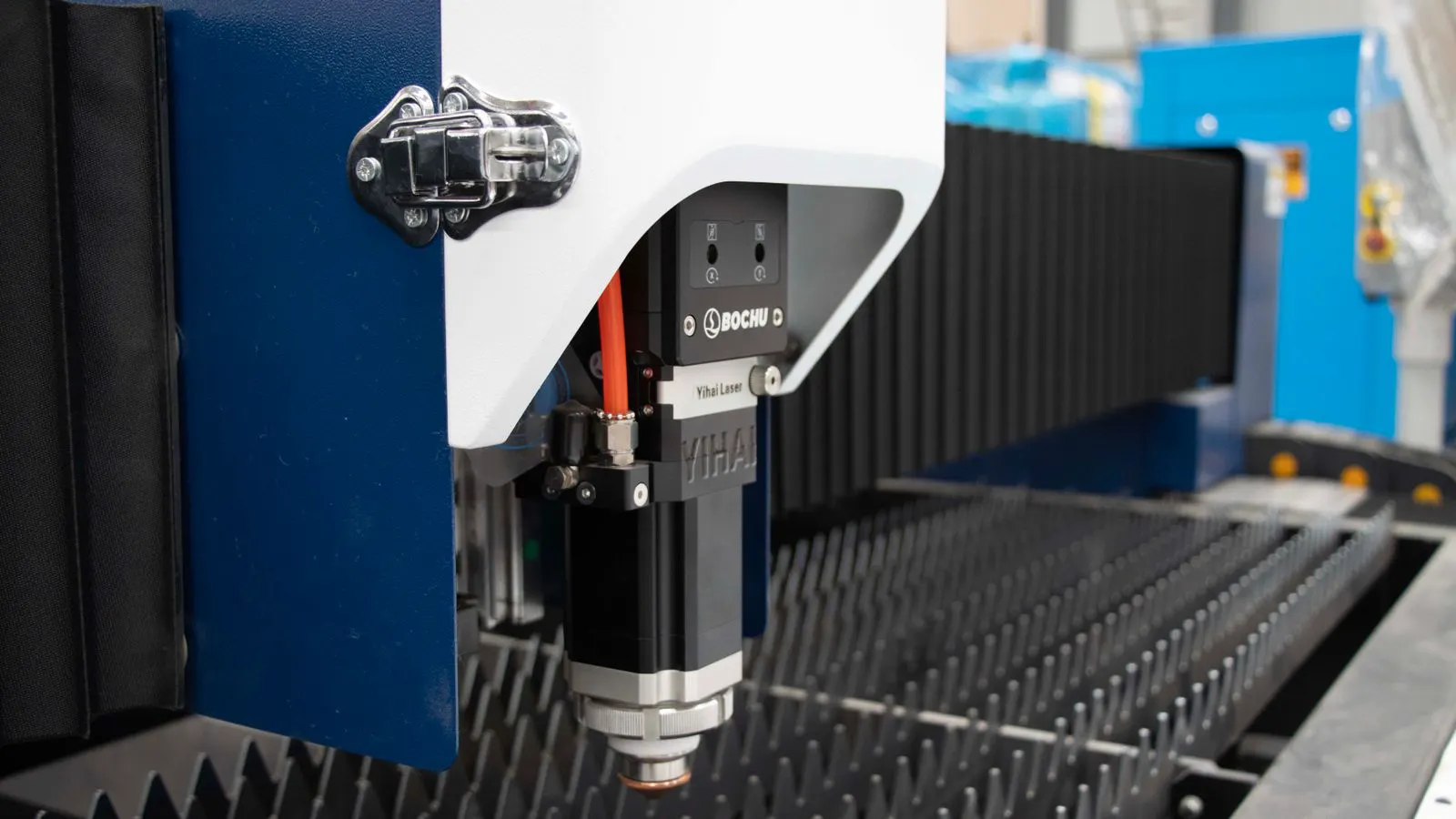
Inspect the fiber delivery path. Long fiber lengths can introduce attenuation. Ask about the fiber type and the length used within the machine. High quality systems minimize the distance between the source and the cutting head to preserve energy. The cutting head itself contains the lens and the nozzle. The lens material must withstand high power. Ask about the lens coating. Arsenic-free glass is standard. The nozzle diameter also matters. A smaller nozzle allows for tighter focusing but may clog more easily with certain alloys.
Power and cutting parameters
Power determines speed and capability. But power alone does not tell the whole story. Look at the cutting parameters table. This lists achievable speeds at specific gas pressures and material thicknesses.
Check the table for the material you cut most. Steel is the most common. If the table only shows mild steel, ask about stainless and aluminum. Different materials absorb laser energy differently. The same power may cut aluminum much slower than steel. Aluminum reflects a significant portion of the laser energy. This requires higher power or specific gas settings to achieve a clean cut.
Note the maximum plate thickness the machine handles at an acceptable speed. A machine that technically cuts 20 millimeters of steel but takes three times longer than a competitor is not faster. Review the speed data. A cut that takes ten seconds on thin sheet may take ninety seconds on thick plate. Multiply that by your daily part count to estimate true cycle time.
| Material | Typical Thickness | Key Check |
|---|---|---|
| Mild Steel | 1 to 10 mm | Speed at 10 mm |
| Stainless Steel | 1 to 8 mm | Cut quality at 8 mm |
| Aluminum | 1 to 6 mm | Edge quality and speed |
| Copper | 1 to 3 mm | Required power and gas |
For copper, the required power and gas are the critical variables. Copper is a high reflectivity material. It requires more power to initiate the cut and a different gas strategy to remove the dross. Many standard machines struggle with copper at thicknesses above 2 millimeters. If copper is a regular part of your production, verify the machine’s specific capability for this alloy. Do not assume that a high power rating automatically covers copper.
Table size and frame rigidity
The bed size dictates what you can load in one setup. Measure your largest parts. Add space for tooling and movement. Do not buy a table that is too large. A larger table costs more and may lack rigidity if the frame is not designed to support the span.
Inspect the frame material. Aluminum profiles are common. Look for a welded or bolted structure that resists flex. A soft frame causes vibration. Vibration creates a rough cut edge and shifts the workpiece. Run your hand along the frame during the demo. Press on the corners. If the frame moves or flexes, the cutting accuracy will suffer. High power lasers generate significant heat and momentum. The frame must absorb this without transmitting it to the optics.
Check the bed surface. Many machines use a perforated bed. The holes allow gas to escape from below. The bed must be flat. Ask about leveling tolerance. A warped bed causes uneven cuts across the table. If the bed is not level, the cutting head may not maintain a consistent distance from the material. This changes the focal length. The cut quality will vary from one corner of the table to another.
Consider the gantry design. Most machines use a gantry that moves the cutting head across the bed. Some use a moving bed. Gantry systems are common for medium and large sizes. The rails and bearings determine the smoothness of movement. Ask about the bearing type. High quality bearings reduce wear and maintain accuracy over time. Check the load capacity of the gantry. If you are cutting heavy plate, the gantry must support the weight without sagging.
Control software and interface
The controller is the brain of the machine. It handles the cutting path, gas flow, and laser on and off timing. Ask for a demo. Load a complex file. Watch how the software handles corners, small features, and thin walls.
Check the connectivity options. Can you send files directly from your computer? Can you use a USB drive? Look for network compatibility with your shop floor. Some machines support remote monitoring. This helps with production tracking and maintenance alerts. Remote monitoring allows you to see the machine status from your office. You can check if a job is running, if the gas level is low, or if an error has occurred.
Verify the file formats. Most modern controllers accept common vector formats. Ask for a list. If you use a specific CAM software, confirm compatibility. A mismatch can slow down setup and cause errors. Some CAM packages export specific file types that older controllers do not recognize. You may need a conversion step. This adds time and introduces potential errors.
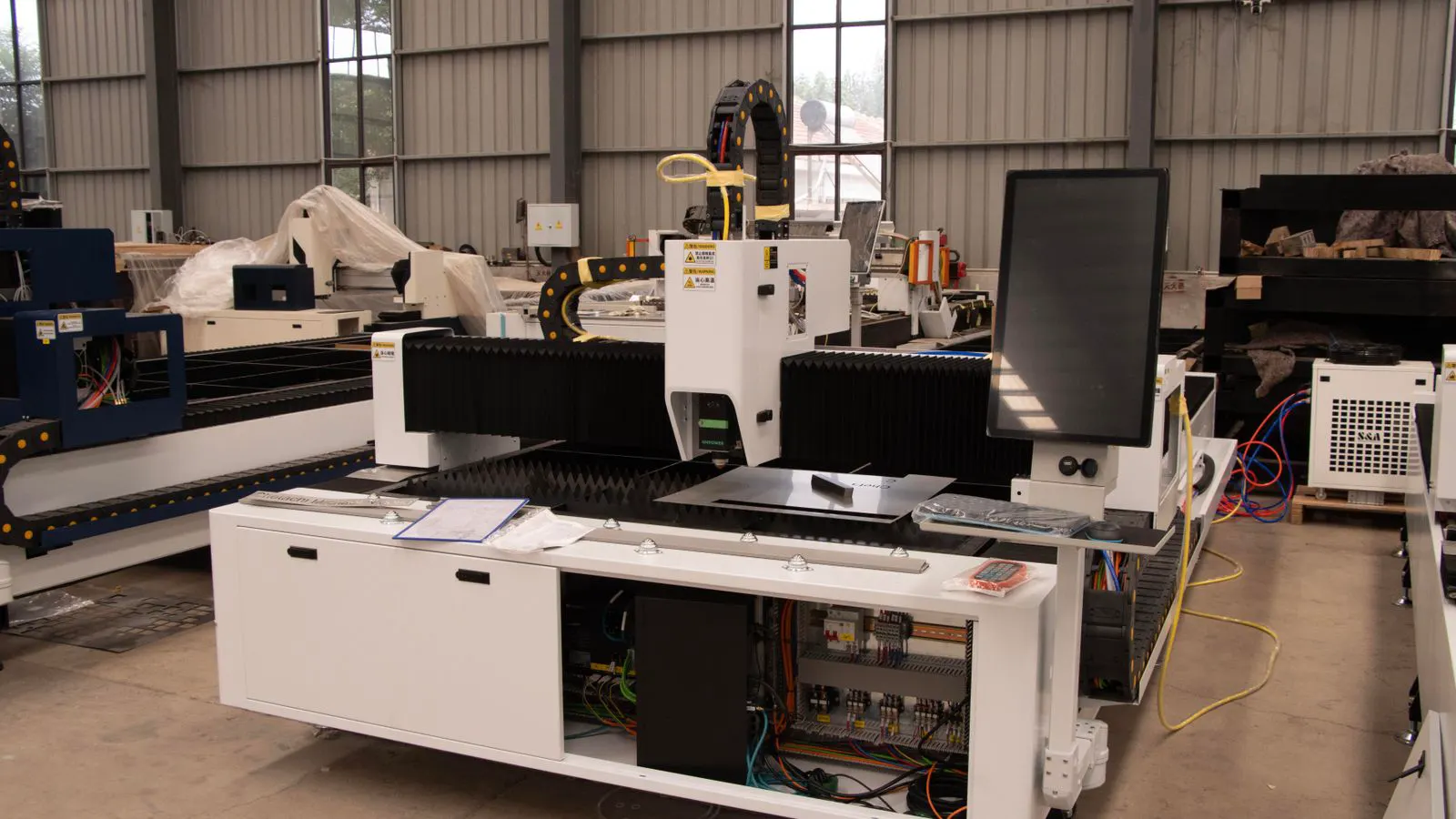
Look at the user interface. Is the screen large enough to view the full part? Can you adjust the focal length manually? Some machines have automatic focal length adjustment. This is useful for uneven material. If you cut thick plate, the focal length may need to change across the cut. Automatic adjustment saves time. If the machine requires manual adjustment, you must be present to make the change.
Check the gas switching system. The controller must manage the gas valves accurately. A delay in gas startup can cause a poor start point. Ask about the gas startup time. A faster startup reduces the heat affected zone at the beginning of the cut. This is critical for small parts or intricate designs.
Safety and auxiliary equipment
Laser safety is non-negotiable. The enclosure must contain the beam. Check for interlocks on every door and panel. If a door opens, the laser must stop. Verify this during the demo. Open the door while the machine is running. The laser should cut off immediately. This is a hard stop, not a soft pause.
Look at the fume extraction system. Cutting produces smoke and particulates. The system must capture these at the source. Check the filter type and replacement interval. A weak extraction system creates a dirty shop and a health hazard. Fume extraction also protects the optics. Dust and smoke can accumulate on the lenses and mirrors. This reduces beam quality and can damage the laser source.
Check the gas supply. Fiber lasers often use nitrogen or air for cutting. Verify the required purity and pressure. If you need oxygen for stainless, confirm the machine supports it. Ask about the gas valve quality. Cheap valves fail and cause leaks. A gas leak is a fire hazard. The system must be designed to handle the pressure of your shop’s supply.
Inspect the water cooling system. Fiber lasers require water cooling to remove waste heat. Ask about the cooling unit. Is it a standalone unit or an integrated system? Check the flow rate and temperature control. The water must be clean. Mineral deposits can clog the cooling loops. Ask about the recommended water treatment. Some systems use distilled water. Others use a specific inhibitor.
Maintenance and warranty
Maintenance costs are part of the true price. Ask for a service schedule. How often do you clean the lens? How often do you inspect the optics? Some machines have auto cleaning cycles. Others require manual cleaning. A lens that is not cleaned regularly will degrade the cut quality. You will see more dross and a rougher edge.
Review the warranty terms. What is covered? How long is the warranty on the laser source? How long is it on the frame? What is the response time for service calls? A long warranty on the frame but a short one on the laser source is a red flag. The laser source is the most expensive component. If it fails after one year, the repair cost is high.
Check the availability of spare parts. If a part breaks, how fast can you get a replacement? Local support matters. A machine with a long repair time is downtime. Ask for the location of the nearest service center. If the service center is far away, you may face extended production delays.
Ask about the service contract. Some vendors offer preventive maintenance plans. This includes regular visits to inspect the machine. They check the optics, clean the bed, and verify the calibration. This can extend the life of the machine. It also ensures that you are using the equipment correctly.
Red flags to watch for
Watch for vague language on the spec sheet. If the beam quality is not listed, ask. If the speed table is missing, request it. A seller who cannot provide these details may not understand the machine. They may be selling a general capability rather than a specific unit.
Check the machine age. Newer machines have better optics and software. Older machines may have outdated controllers that are harder to upgrade. Ask about the firmware version. Firmware updates can improve performance and fix bugs. If the machine is out of date, you may face issues with newer CAM software.
Look at the seller’s reputation. Do they sell only one brand? Do they provide training? Do they have a history of supporting customers? A good seller acts as a partner. A bad seller disappears after the sale. Ask for references. Contact other customers who have bought the same model. Ask them about the after sales support.
Check the installation process. Who handles the installation? Do you have to prepare the foundation? Is the machine delivered on a trailer or a flatbed truck? Ask about the training provided. You should receive comprehensive training on operation and maintenance. This includes safety protocols and basic troubleshooting.
Final verification steps
Before you sign, run a test cut. Use your actual material. Cut a part that represents your daily workload. Inspect the edge. Measure the thickness. Check the speed.
Take photos of the cut. Bring them to your engineers. Compare the results against your quality standards. If you have a specific tolerance for edge quality, verify that the machine can meet it. If you have a specific cycle time requirement, verify that the machine can meet it.
Confirm all documents. Read the manual. Understand the safety protocols. Schedule the training.
This checklist is a baseline. Adjust it to your specific materials and production volume. The right machine fits your process. The wrong machine creates problems you did not plan to solve.
Frequently asked questions
How do I know if the laser power is enough for my materials?
Match the power to your thickest regular material. Check the cutting speed table for that thickness. If the speed is too slow, you need more power.
What is a red flag in the cutting parameters table?
A table that only lists mild steel is a warning. Ask about stainless and aluminum. If speeds are not provided, the seller is hiding performance data.
Do I need a large table if I cut small parts?
No. A large table costs more and may be less rigid. Measure your largest part and add some space for tooling. Buy only the size you need.
How important is beam quality for cut edge?
It is very important. Better beam quality means a tighter focus. This reduces the heat affected zone and creates a cleaner edge. Ask for the specific parameter value.
Should I buy a machine with a long warranty?
Yes, but read the terms. Check what is covered and for how long. A long warranty on the frame but a short one on the laser source is not enough. Look for balanced coverage.